
13 February, 2025
By: Hanny van Vugt
Cyber threats are a growing problem for businesses of all sizes. Hackers are getting smarter, and traditional passwords are often no longer enough to protect your accounts and company data. Multifactor authentication (MFA) is an important security measure that helps prevent unauthorised access to systems. But what exactly is MFA, how does it work and why can't your business really do without it? In this article, I answer these questions.
What is multifactor authentication (MFA)?
MFA is a security method that requires a user to go through multiple forms of authentication before accessing an account or system. This reduces the chances of a cybercriminal gaining unauthorised access, even if he or she has obtained a password. MFA combines four possible categories of authentication:
- Something you know (e.g. a password or PIN).
- Something you have (e.g. a smartphone or hardware token).
- Something you are (e.g. a fingerprint or facial recognition).
- The place where you are (e.g. a specific geographical location).
Adding this extra layer makes it considerably more difficult for hackers to break in.
How exactly does MFA work?
When you log into a system with MFA, go through the following steps:
- You enter your username and password (first factor: something you know).
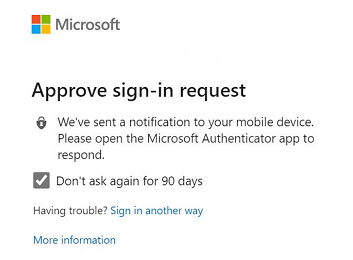
- The system requires an additional authentication method, such as a code sent to a smartphone or a fingerprint scan (second factor).
- Only after successfully completing both steps will you be granted access.
This means that even if a hacker stole your password, without the second factor he will not be able to access your account.
What variants of MFA are there?
There are several ways to apply MFA. The most common variants are:
- One-time codes (OTP - One Time Passwords): A unique code sent to an app (such as Google Authenticator) or via SMS.
- Physical security keys: Special USB devices such as YubiKeys, which you plug into your computer to gain access.
- Biometric authentication: Fingerprints, facial recognition or iris scans.
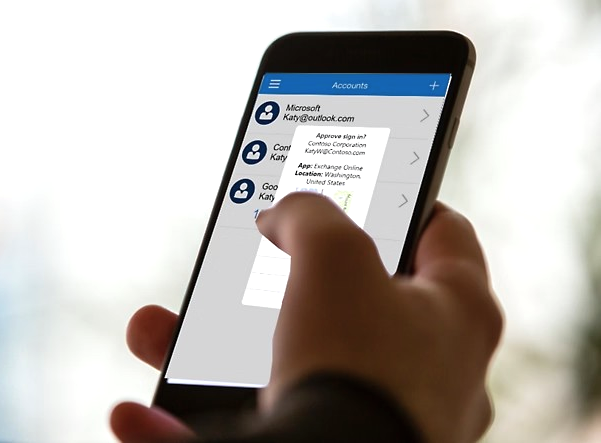
- Push notifications: A notification on your smartphone that you have to approve to log in.
- Smartcards: Cards with built-in chips that you have to insert into a reader.
What is the difference between MFA and 2FA?
Two-factor authentication (2FA) is a specific form of MFA that uses exactly - the name says it all - two authentication methods. MFA is a broader term indicating that multiple factors can be used, meaning that as an organisation you can, for example, implement three or more authentication steps for extra security. Also, the MFA steps must come from different authentication categories (see What is MFA?), with 2FA this is not necessary.Why is MFA important for your business?
Without MFA, your accounts are vulnerable to attacks such as phishing, brute-force attacks and password theft. Your company's sensitive data such as customer information, financial data and strategic documents will be out in the open before you know it. A security breach can lead to huge costs, reputational damage and legal problems. By implementing MFA, you build in an extra layer of protection on top of password login. And hackers need more than just a password to break in.
What MFA helps your business with:
- Protecting your data better: MFA reduces the risk of data breaches and unauthorised access.
- Countering phishing attacks: Even if an employee accidentally shares his password or uses a weak password, MFA prevents a hacker from logging in.
- Meeting compliance requirements: Many regulations, such as the AVG and ISO 27001, require strong security measures such as MFA.
- Ensuring business continuity: Cyber attacks can bring down your systems, but with MFA you reduce the risk of sabotage.
What should you consider when implementing MFA?
While MFA offers many advantages, there are also a few concerns:
- User-friendliness: unfortunately, security and convenience do not always go hand in hand. Having to pull out your phone for a code every time you log in is really going to be off-putting. Therefore, make sure your MFA method is easy to use so that your employees don't see it as an obstacle.
- Backup options: What if your employee loses their phone? Get alternative authentication methods or an IT partner to help you in such a situation.
- Integration with existing systems: Check whether the MFA solution you have in mind is compatible with your existing IT structure.
- Second-factor security: Some methods are less secure: access via SMS codes, for example, as text messages can be intercepted. Physical security keys can be lost and smart cards are based on outdated technology. I therefore recommend more secure alternatives, such as biometric login and authenticator apps.
- Awareness and training: Train your staff on the importance of MFA and how to deal with it.
Implementing an MFA? We would love to help you!
After reading this article, are you convinced of the usefulness of MFA and would you like to implement it within your company? From IT Local, we would love to help you! You can read more about it below.
A standard component of our security packages
MFA is included in all our security packages. In the Essential package (which is our package containing the minimum security measures you need), we set it up so that whenever your staff log in with their password, an app always requests additional authorisation. What’s more, via Self-Service Password (SSP), your staff can reset their own passwords. In the Plus and Elite packages, you also have the option of conditional access. In this case, the app does not request additional authorisation by default, but only in specific situations – for example, if you’re at a particular location or logging in at an unusual time. This makes logging in a more pleasant experience for your staff.If your environment is fully hosted in Microsoft Azure AD (Microsoft Entra ID), we can set up biometric login (via facial recognition, fingerprint or PIN) for your employees using Windows Hello. This is easier and more secure than a password plus MFA. You only need to use MFA the first time.
Insight into login attempts
The MFA tool we use records all login attempts and makes them easy to monitor. This allows us to see when a third party attempts to hack into a user account and enables us to take preventative action to keep your accounts secure.
Immediate assistance with any login issues
We help your staff with login issues and assist you when you need to set up MFA for a new user or link it to a new device. Is a user account linked to a phone that one of your staff members has accidentally left behind? It can happen, of course, but don’t worry: we’ll ensure that your staff member can still log in temporarily via an ‘override procedure’ until the phone is back in their possession.
Want to know more? Then call (06 83 49 06 45) or email me.

Hanny van Vugt is commercial manager at IT Local and closely involved in security solutions for our clients.